01
Recognise before asking
Using the phone number to identify an existing member allowed the system to automatically populate information and reduce repetitive entry.
Solene by Isprava
Solene is a private members' club by Isprava, located in Moira, North Goa. Housed in a restored Indo-Portuguese heritage villa, Solene brings together dining, wellness, art, culture and community in a relaxed, contemporary setting.
Unlike traditional private clubs, Solene is designed around a more informal and culturally driven experience. Its members can visit the club, attend events, dine, participate in activities and bring guests along.
As part of the digital experience, I worked on the membership and visit management flow, helping the internal team manage club visits and day passes through a more structured workflow.
The challenge
Solene's internal team, or POCs, needed to manage different kinds of visitors coming into the club.
An existing Solene member visiting the club.
A guest or visitor accessing the club for a single day.
Although both involved recording a visit, they had different requirements around member identification, source, visitor information, payment and facility usage.
The challenge was to create a flow that was:
The experience we were introducing
I introduced two clear entry points within the POC's member management interface: Add Club Visit for existing Solene members visiting the club, and Add Day Pass for visitors accessing Solene through a day pass.
Instead of creating one large, complicated form that tried to accommodate every scenario, the experience was divided into two focused workflows.
This gave POCs a clear starting point based on what they were trying to accomplish.
Mapping the flow
At a high level, the experience worked like this. The detailed designs then accounted for different states within these two primary journeys.
01
The starting point
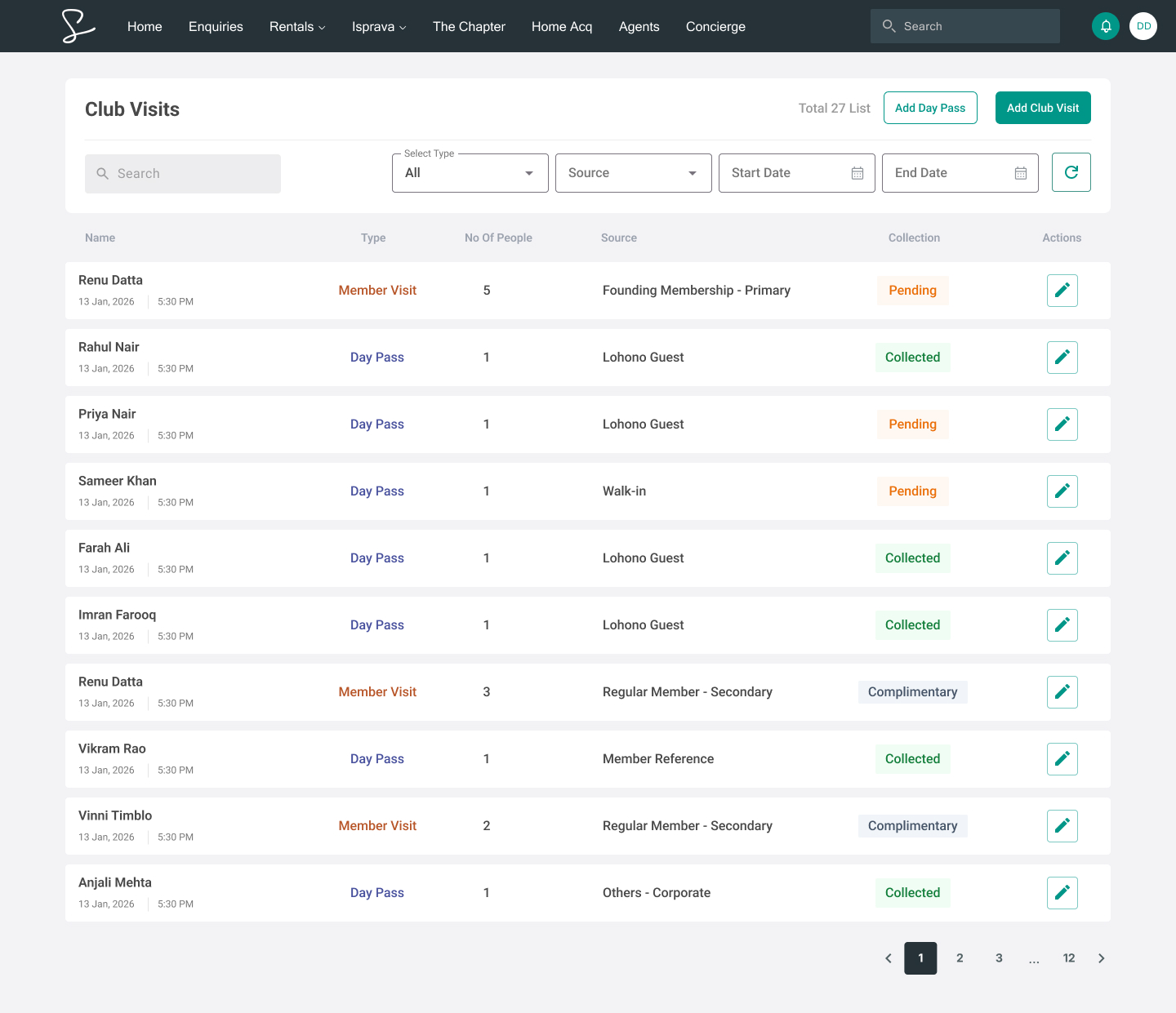
The Agent List acts as the starting point for the POC.
From here, POCs can see important information about existing records, including member name, visit type, number of people, source, payment or collection status, and available actions.
The interface also provides two prominent actions: Add Club Visit and Add Day Pass. This makes the two primary tasks immediately accessible instead of making the POC navigate through the member list to find them.
02
Club Visit
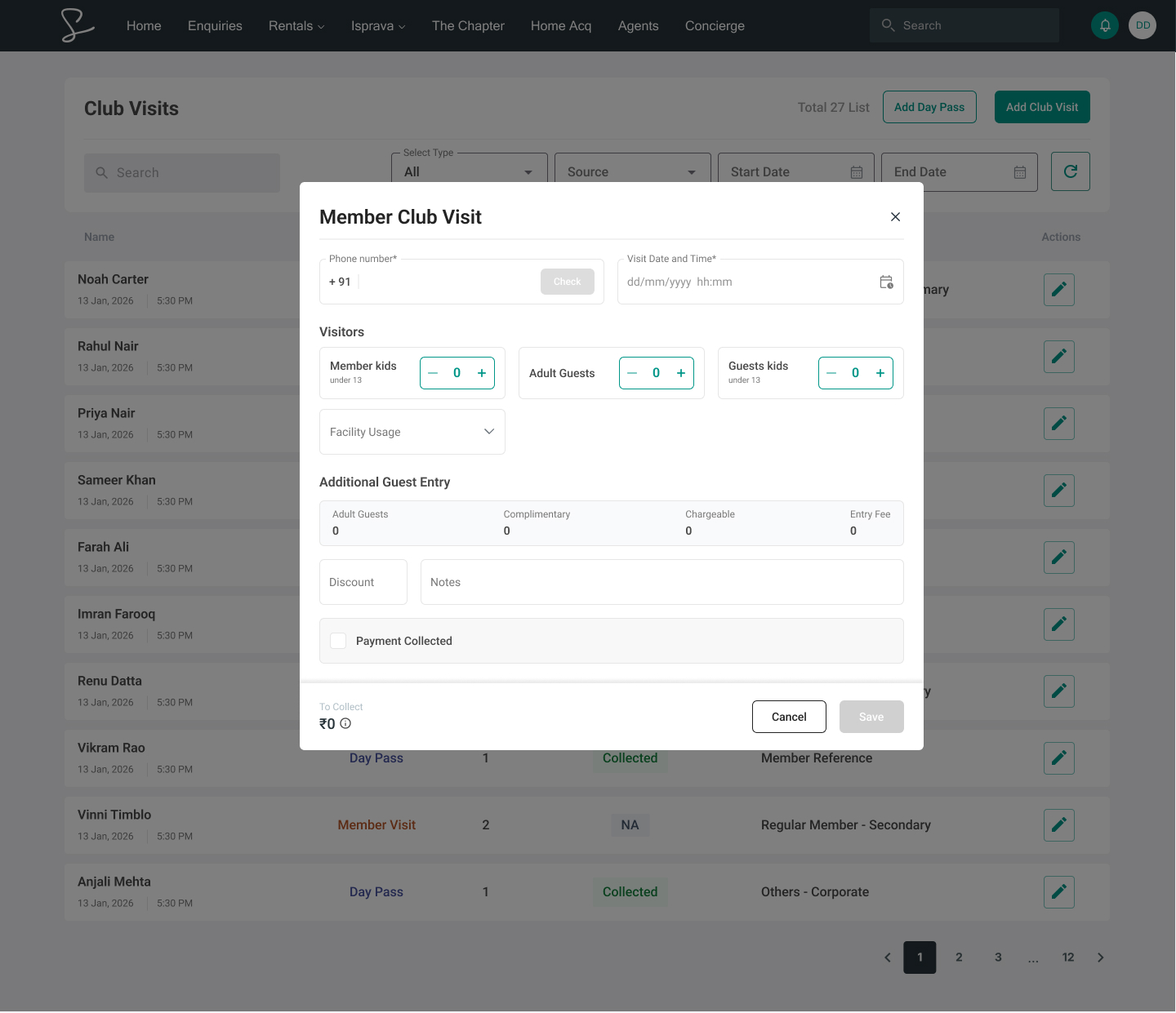
When the POC selects Add Club Visit, an empty-state modal opens.
The POC begins by entering the member's phone number. This creates an opportunity to identify whether the visitor already exists in the system before asking the POC to enter additional information.
03
Existing member recognition
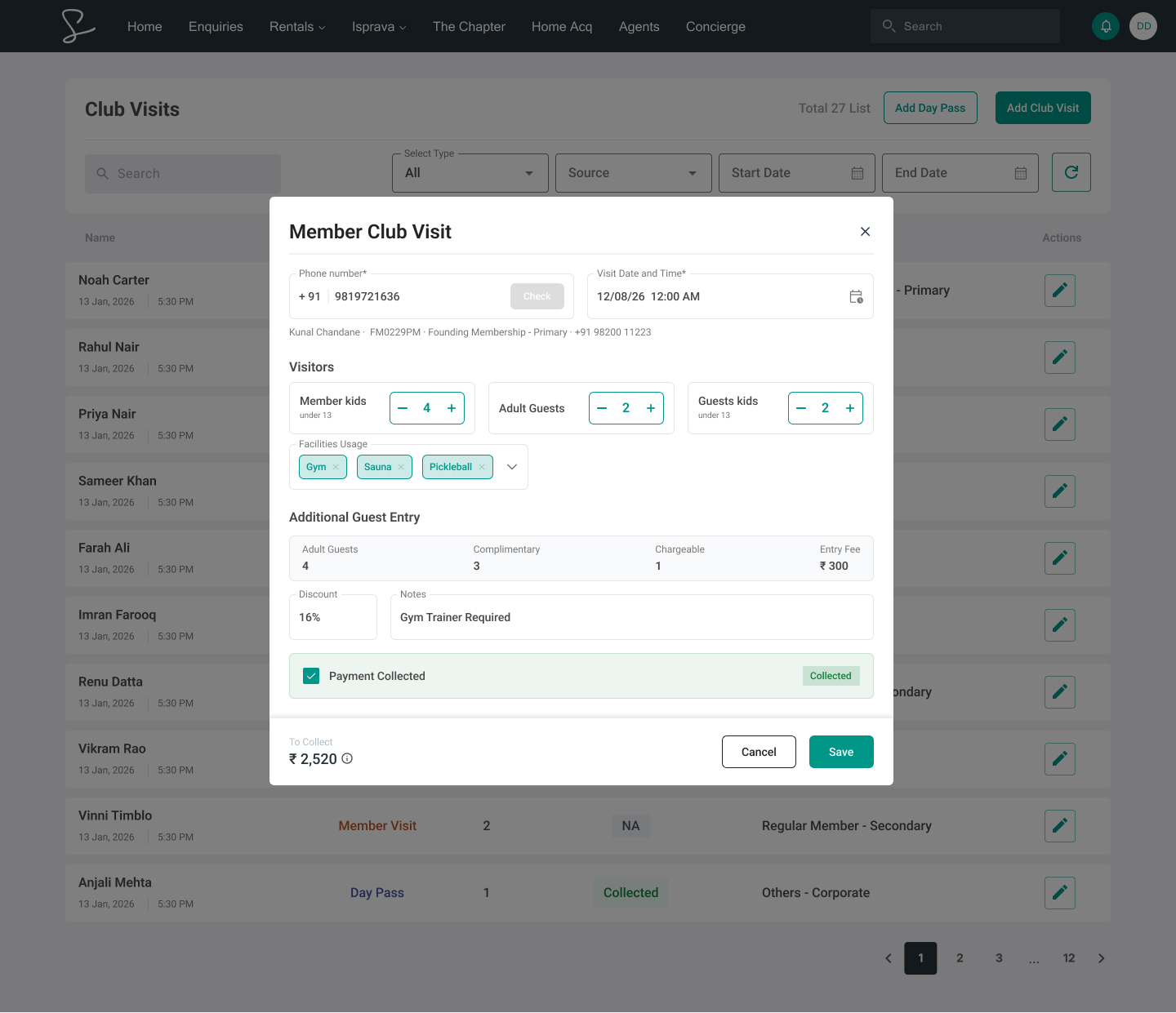
When the phone number belongs to an existing member, their information is automatically populated.
Instead of asking the POC to manually enter information that already exists in the system, the flow uses the member's phone number to identify them and surface their existing details.
This makes repeat visits faster and reduces unnecessary data entry.
04
When the member doesn't exist
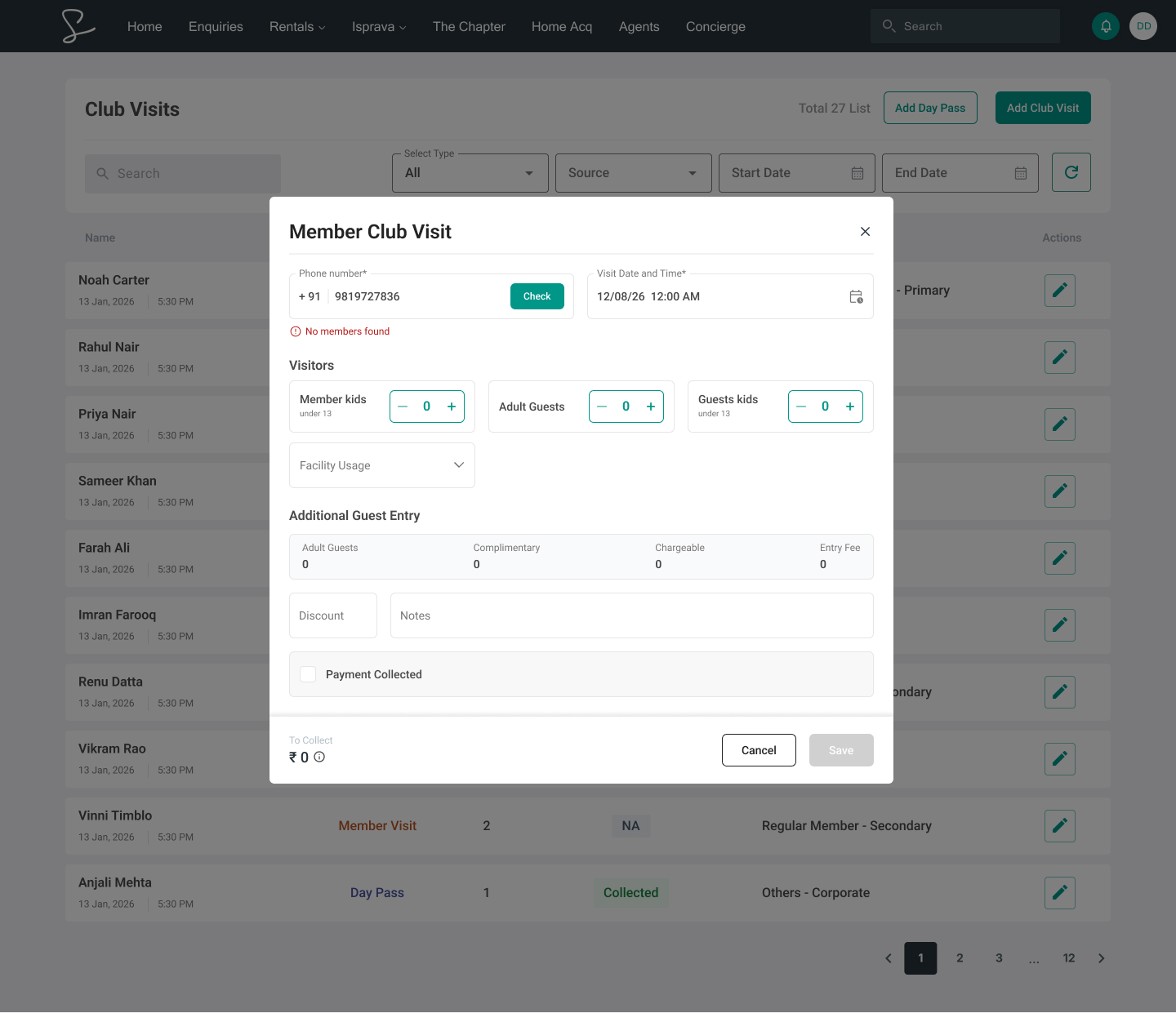
Not every visitor entering through the Club Visit flow would necessarily already exist in the system.
When no matching member is found, the experience moves into a new-member state, allowing the POC to enter the required information manually.
05
Adding a Day Pass
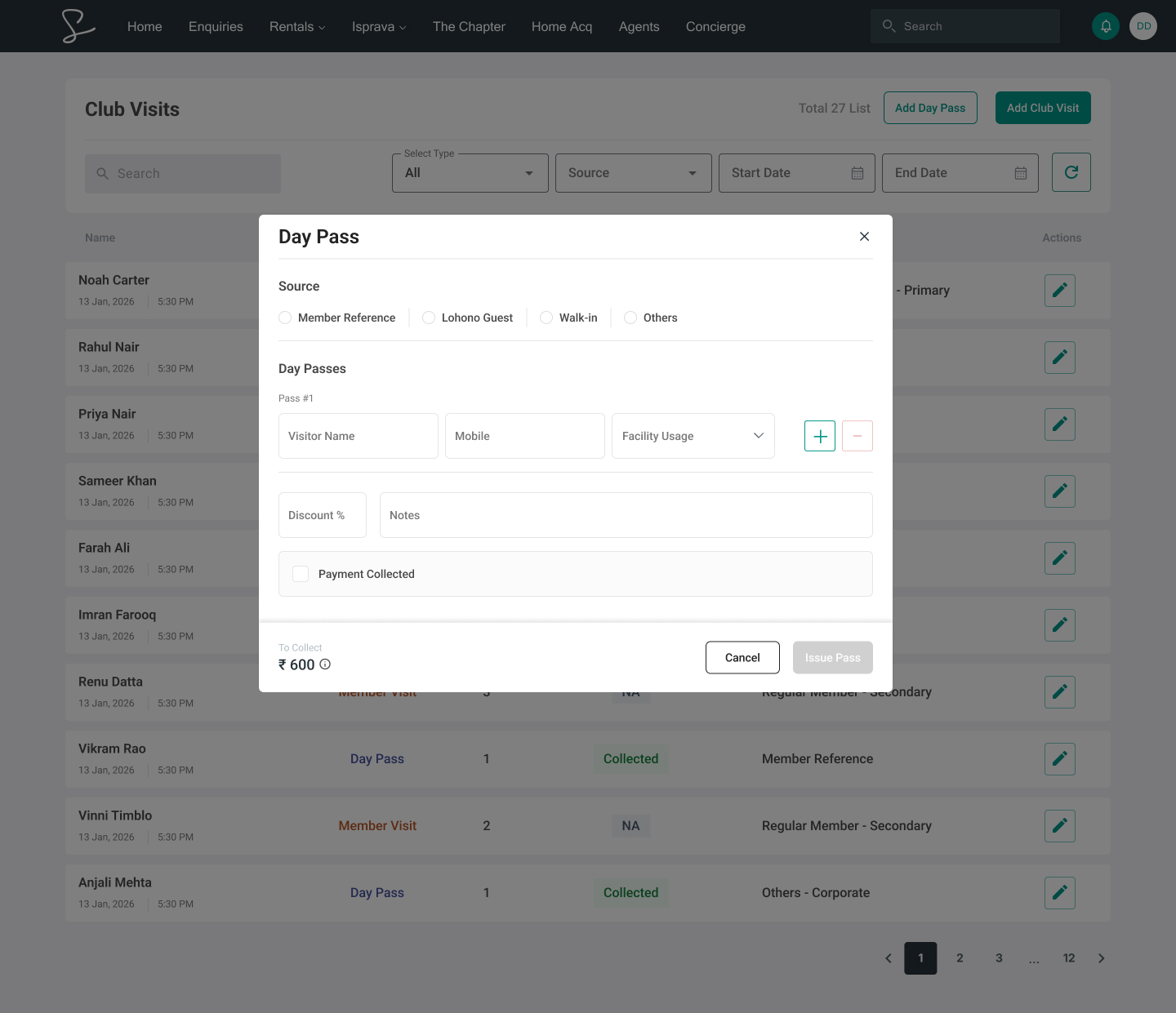
The second major workflow starts when the POC selects Add Day Pass.
Unlike a regular club visit, a day pass can originate from different sources. Therefore, the POC first selects the relevant source before entering the visitor's information.
Add Day Pass → Select Source → Enter Details → Issue Pass
06
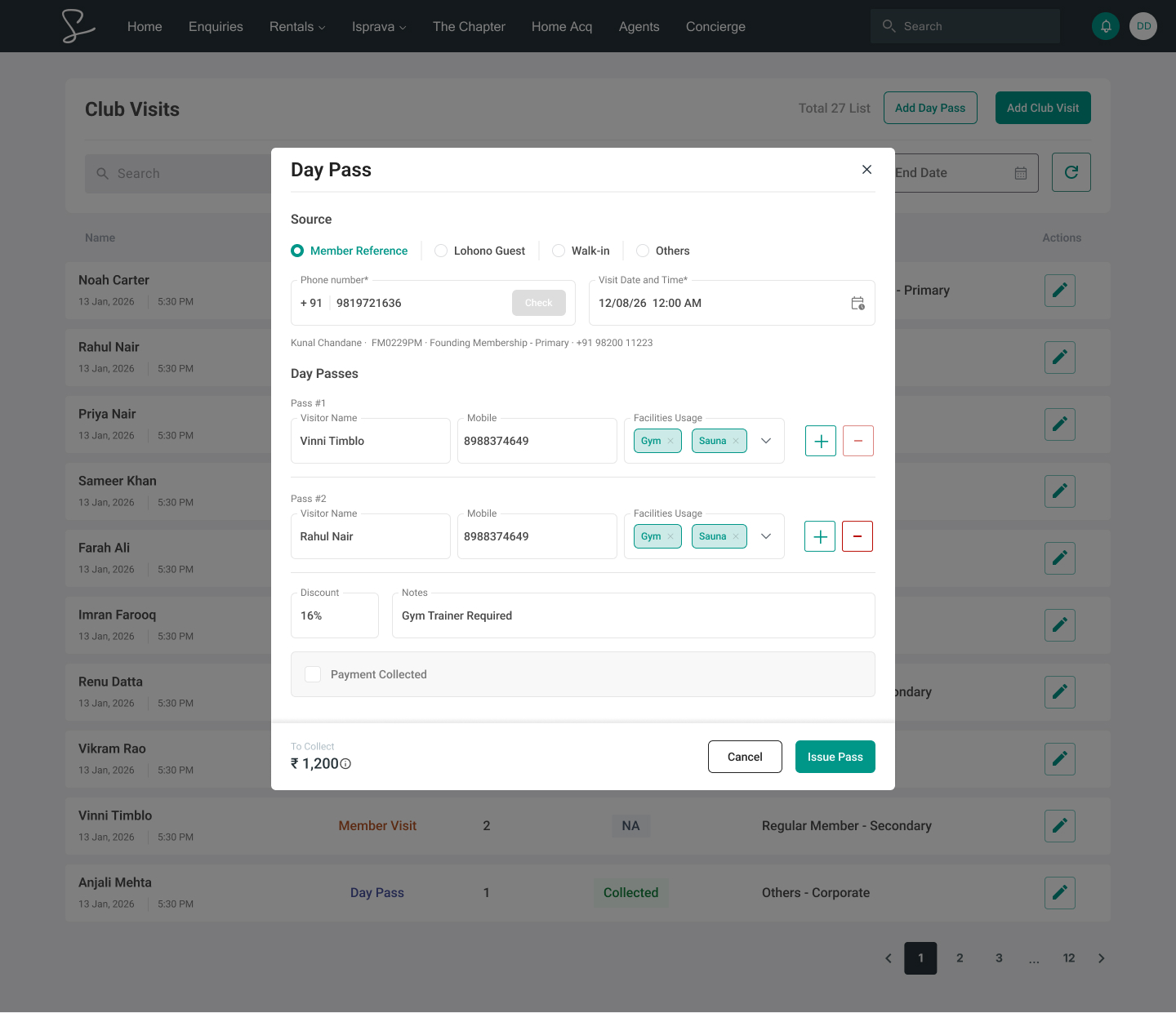
Source-based information
Once the POC selects a source, the relevant information can be entered.
For example, when Member Reference is selected, the POC can provide the associated member and visitor information before issuing the pass.
This keeps the workflow structured while allowing day passes to come through different channels.
07
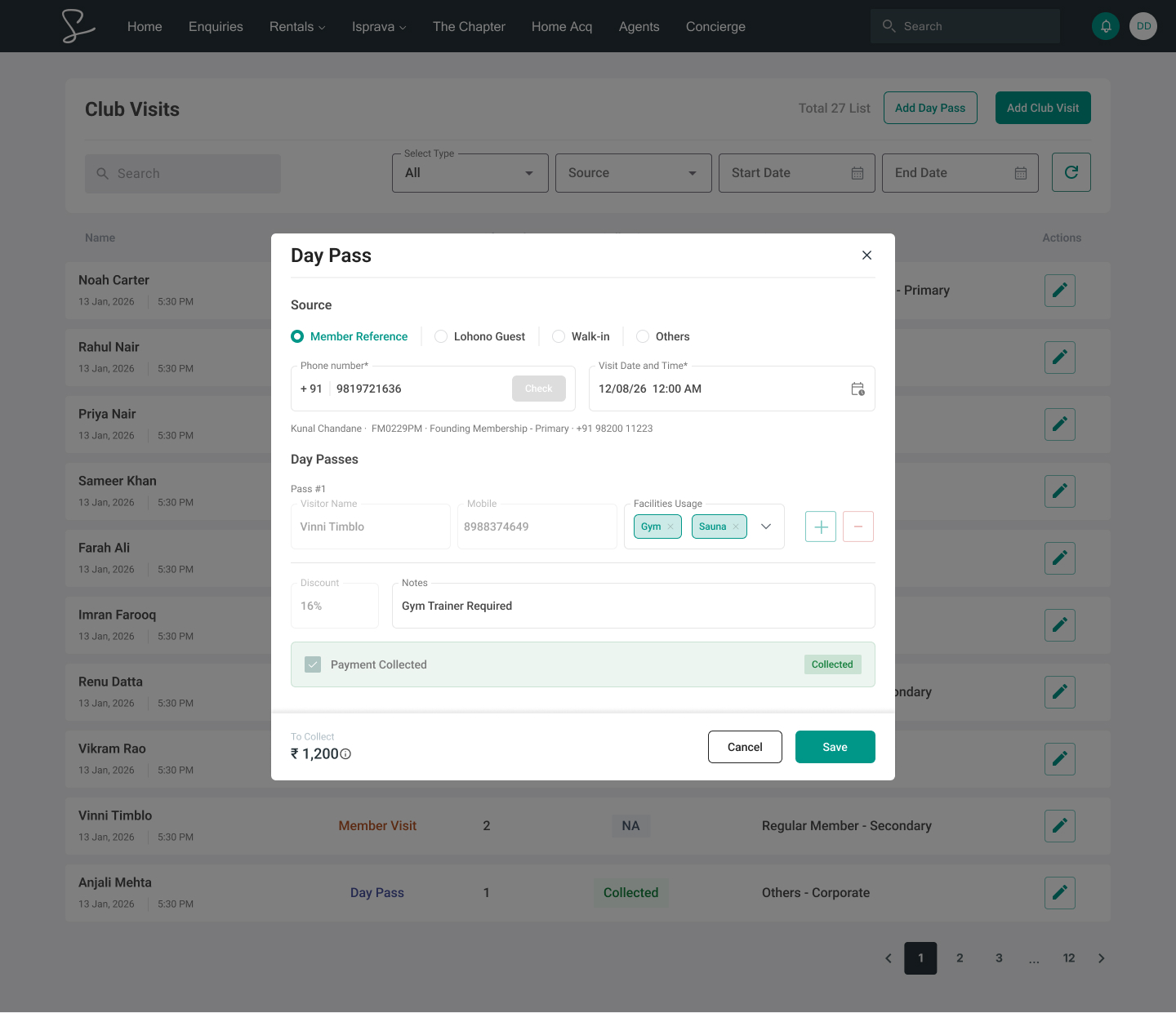
Pass issuance & payment state
Payment was intentionally treated as a state-dependent action. Before the day pass has been issued, the payment or collection state remains unavailable.
Once the pass is issued, the record moves into its next state and payment collection can be reflected accordingly. This prevents the POC from performing an action before the underlying visit record exists.
This small interaction detail establishes a clear relationship between the different stages of the workflow.
Key UX decisions
01
Using the phone number to identify an existing member allowed the system to automatically populate information and reduce repetitive entry.
02
Club visits and day passes have different requirements, so they were given separate entry points rather than being combined into one overloaded form. Two tasks → two clear starting points.
03
The experience changes across Empty → Filled → Issued → Editable. Fields and actions change with the visit lifecycle, making the interface predictable and preventing premature actions.
Reflection
This project changed how I think about designing for internal teams. Initially, I was focused on making the flow work, but as I worked through the different scenarios, I started paying more attention to what the person using the tool actually needs at each moment.
It also taught me that not every design decision needs to be visually noticeable to be valuable. Some of the most useful improvements were small, like removing unnecessary input or making an action available only when it made sense.
More than anything, this project helped me become more comfortable designing for systems that are used repeatedly in real work, rather than just designing individual screens.
Explore more of my work