1
Good filters start with understanding user intent
The most useful filters weren't necessarily the attributes we could put into a database. They were the attributes that repeatedly mattered when customers evaluated villas.
Lohono by Isprava
Helping users find the right villa, without scrolling through dozens of options
Lohono Stays is a luxury villa rental brand by Isprava, offering a curated collection of private villas across destinations in India and abroad. As a sub-brand of Isprava, Lohono caters to affluent travellers seeking premium stays, combining beautifully designed holiday homes with personalised hospitality, concierge services, and curated experiences. The platform enables guests to discover and rent luxury villas for short stays, offering an alternative to conventional hotels with a focus on privacy, comfort, design, and personalised service.
01
The Context and Problem
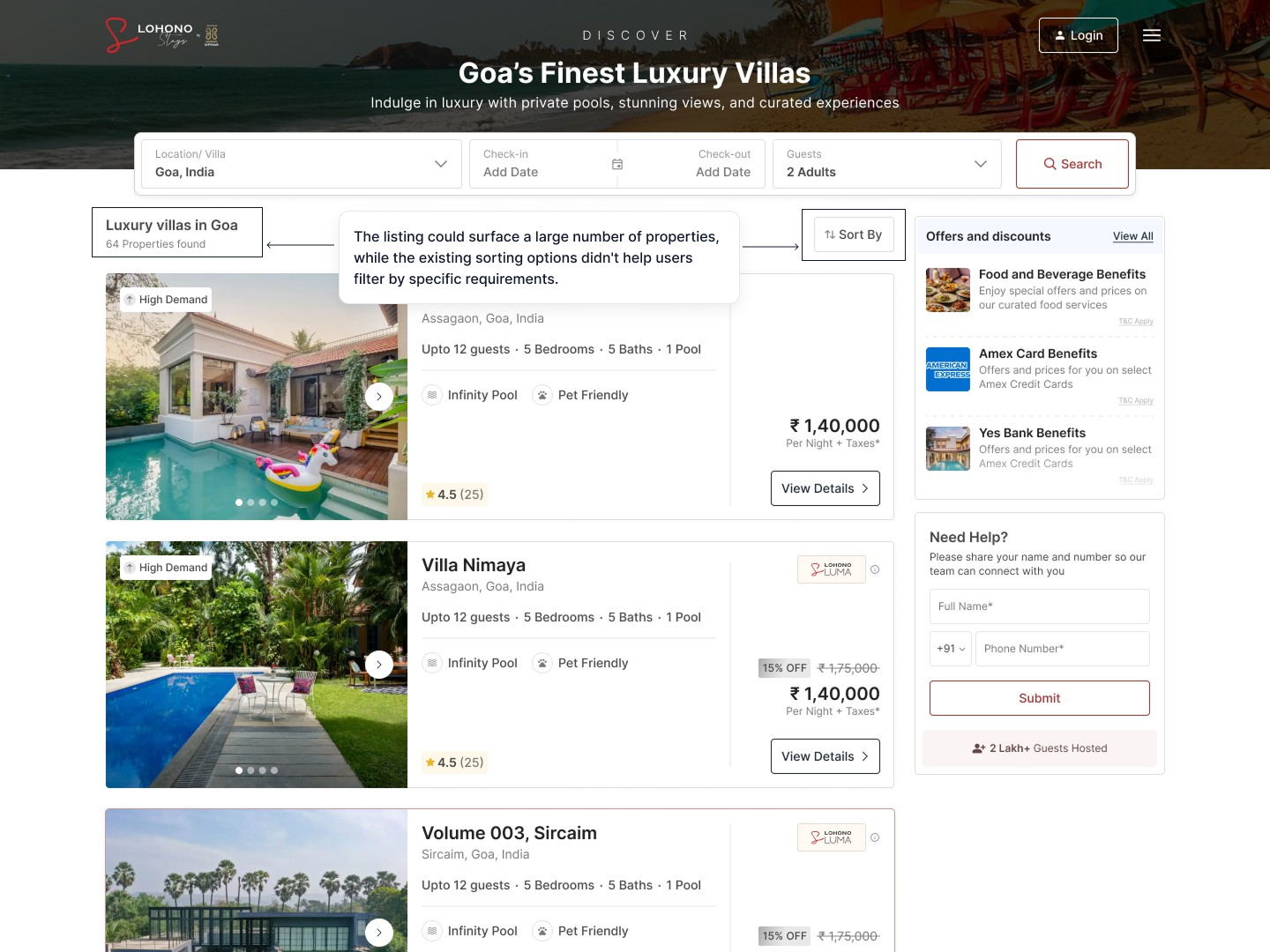
Lohono offers villas across multiple destinations, giving users a large inventory to choose from. However, when users searched for a destination such as Goa or Kasauli, the listing page could return a large number of villas.
The existing experience primarily allowed users to sort these results by popularity or price. While sorting changed the order of the villas, it didn't help users narrow the list according to their specific needs.
For someone looking for a pet-friendly villa, a senior-citizen-friendly property, or a villa with a particular number of rooms, browsing through the entire inventory created unnecessary effort.
How might we help users narrow a large villa inventory based on the preferences that matter most to them?
02
From Customer Questions to Filter Categories
To understand which villa attributes were most relevant during the booking journey, our team referred to recurring questions and requirements gathered from the customer-facing sales team.
These conversations revealed several requirements that came up repeatedly when customers evaluated villas.
We also looked at existing villa-related chips and information already used across the product to identify attributes that users were already familiar with.
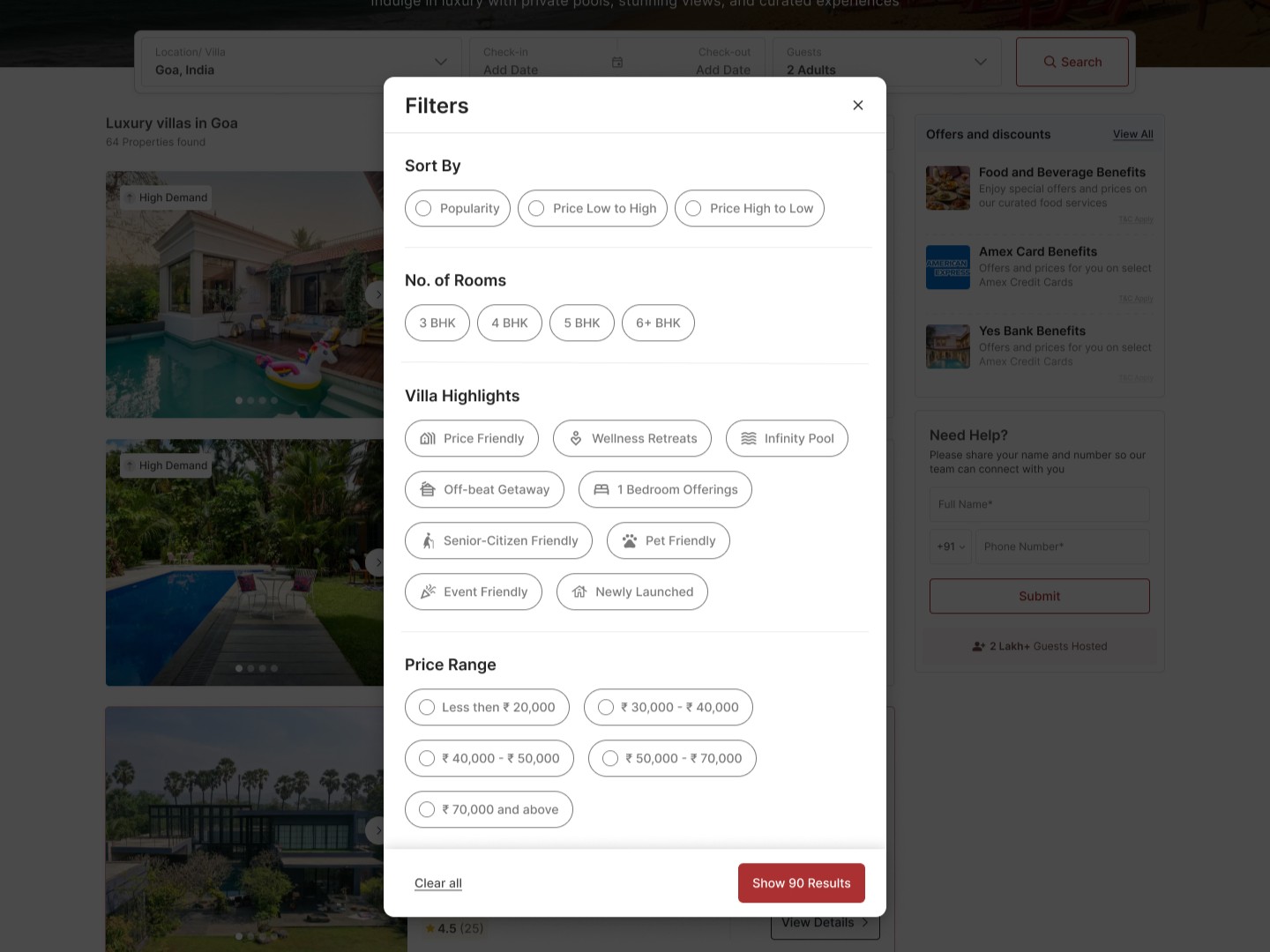
Once the requirements were established, I organized them into four main groups:
Design principle
Make the most relevant villa attributes visible upfront, so users can filter down their search without having to explore every listing individually.
03
Designing the Filtering Experience
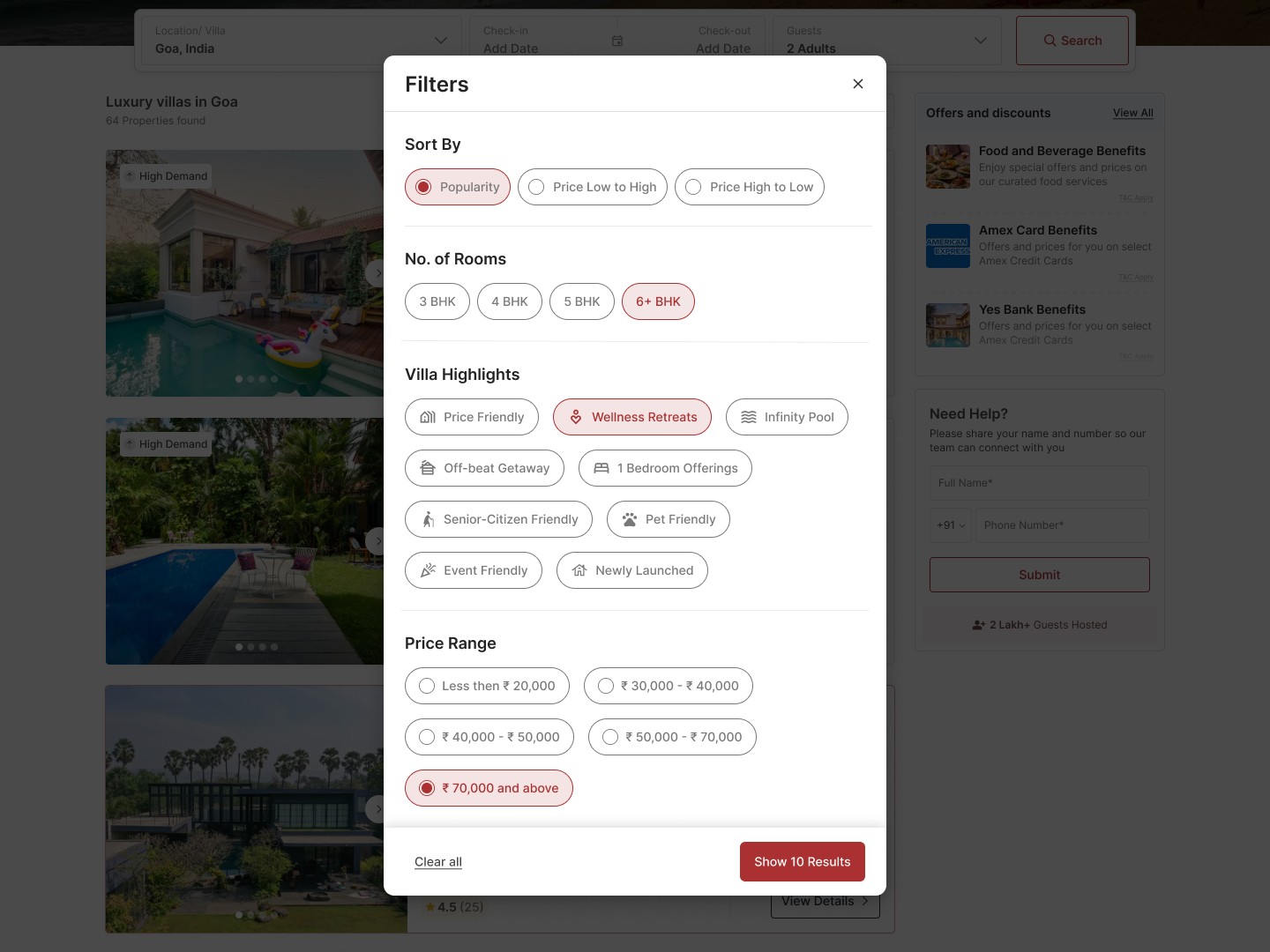
The filter experience needed to support more than simply selecting options, so I designed the complete journey: Open filters → Select preferences → See matching result count → Apply → Browse filtered listings.
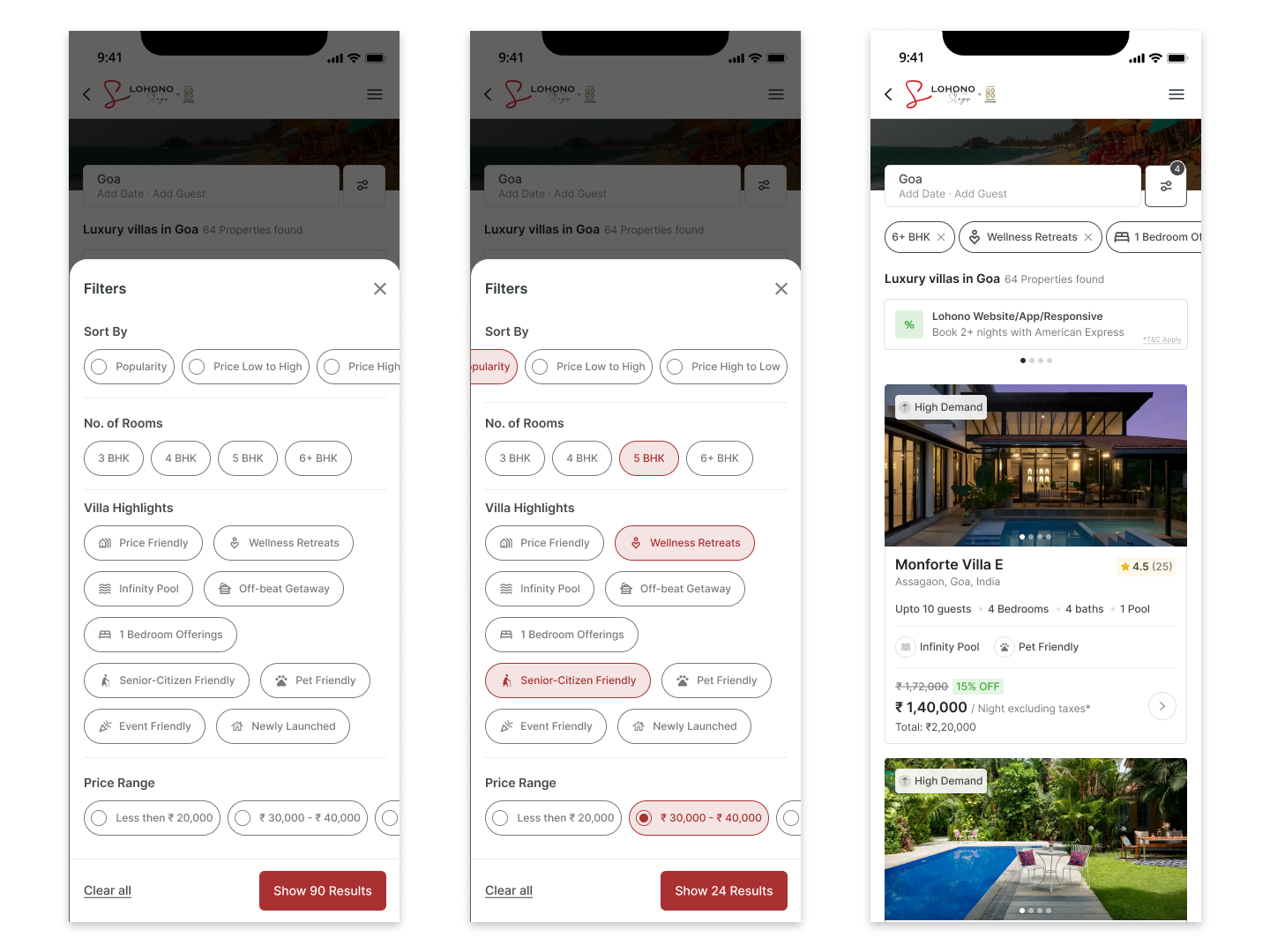
The filter modal allows users to select multiple preferences across different categories before applying them, so they can look for a 5 BHK + Wellness Retreat + Senior-Citizen Friendly villa rather than manually browsing through every property.
The result count changes with the selection. As users combine filters, the primary CTA communicates the number of matching villas—for example, Show 90 Results can become Show 10 Results—giving users feedback about how their selections are narrowing the available inventory before they return to the listing page.
04
Designing for the Empty State
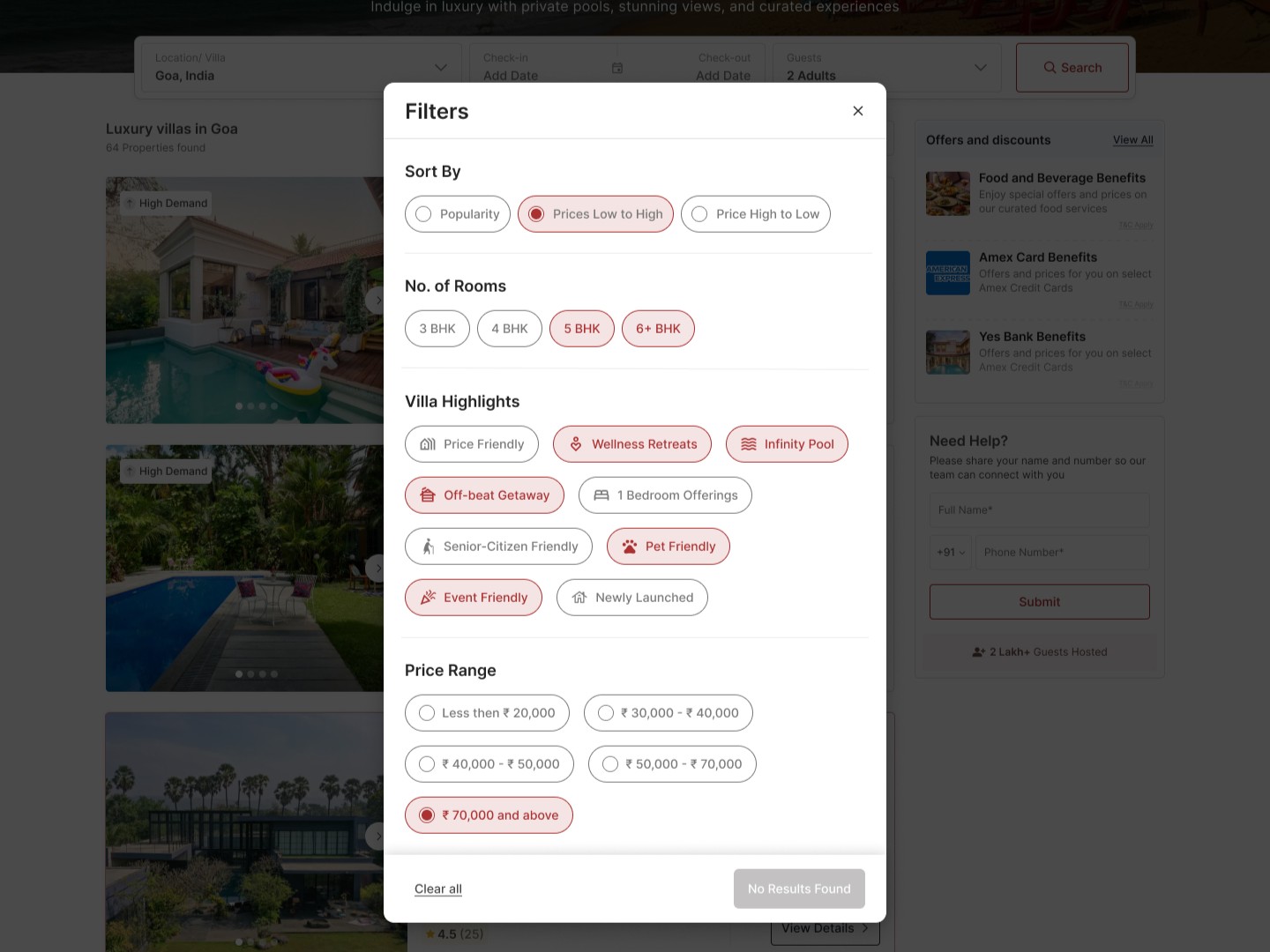
Filtering introduces another problem: users can create combinations that don't match any available property.
Instead of sending the user to an empty listing page, the filter experience communicates this state directly:
No Results Found
The primary CTA becomes disabled, while Clear all remains available so users can quickly reset their selections and try again.
05
Keeping Applied Filters Visible
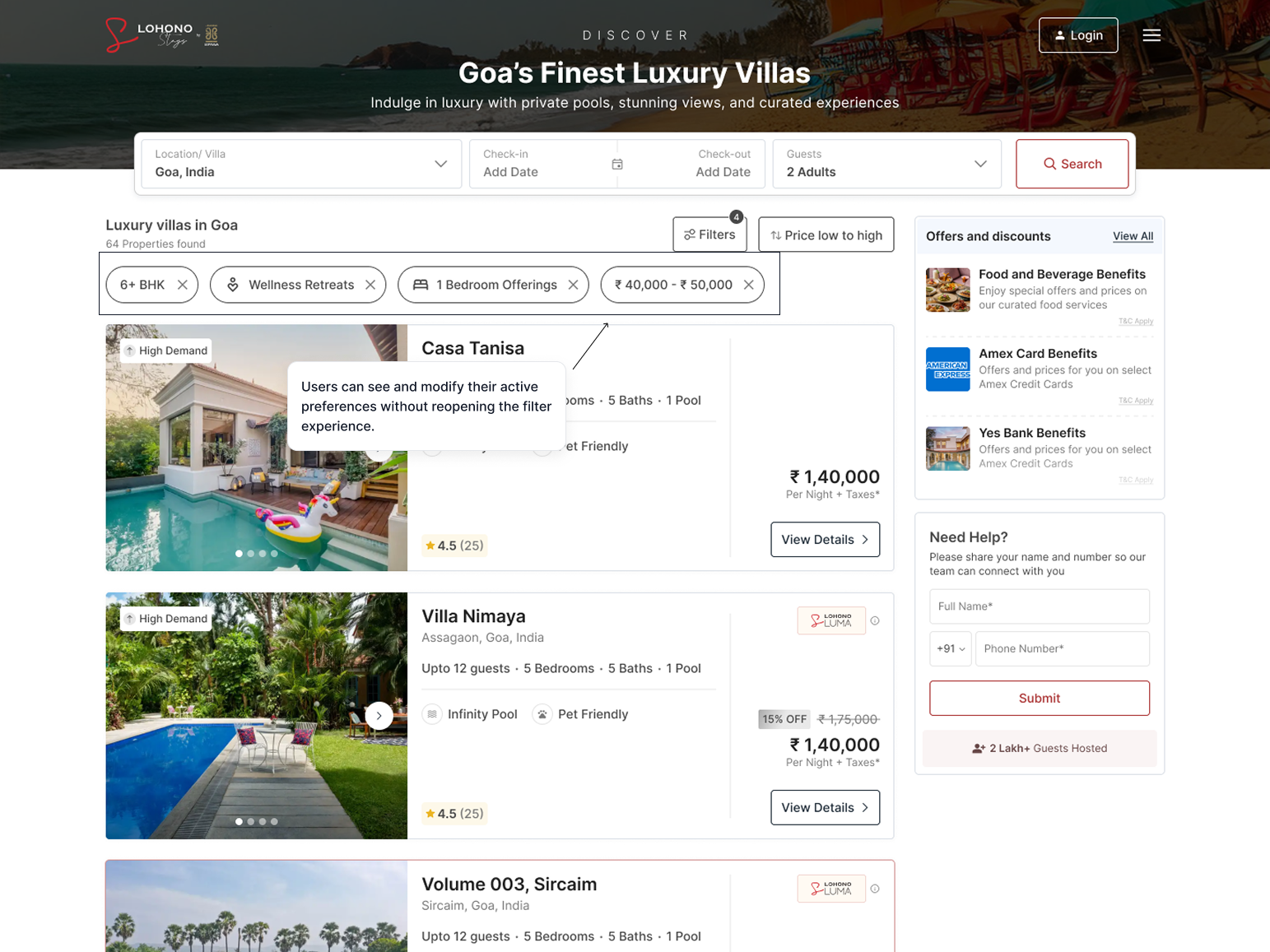
Once filters are applied, I wanted users to be able to understand why they're seeing the current results without reopening the filter panel.
The listing page therefore surfaces the selected filters as removable chips, while the filter button displays the number of active filters.
For example:
6+ BHK ×
Wellness Retreats ×
1 Bedroom Offerings ×
₹40,000–₹50,000 ×
Users can remove individual filters directly from the listing page.
06
Responsive Experience
The desktop experience used a centered filter modal. For responsive web, I adapted the interaction to better fit the limited screen space while keeping the same information hierarchy and functionality.
On mobile, the filter experience becomes a bottom-sheet style interface, allowing the listing context to remain visible behind the overlay while giving the filter controls more usable vertical space.
The selected filters also remain accessible from the listing page as horizontally scrollable chips.
07
Outcome
The new filtering experience gives users a way to refine the villa inventory using preferences that commonly arise during the booking journey.
The solution introduced a more structured discovery experience across:
The feature was launched recently, and performance metrics are yet to be evaluated.
Next step:
Track filter adoption, listing engagement and booking conversion to understand how the new experience affects villa discovery.
10
What I Learned
1
The most useful filters weren't necessarily the attributes we could put into a database. They were the attributes that repeatedly mattered when customers evaluated villas.
2
The filter itself is a relatively small component, but it sits at an important point in the booking journey. Making villa discovery more specific can reduce unnecessary browsing and help users move toward a property that fits their requirements.
Explore more of my work